NSFW AI Character Chat: How to Build, Roleplay and Move Your Characters
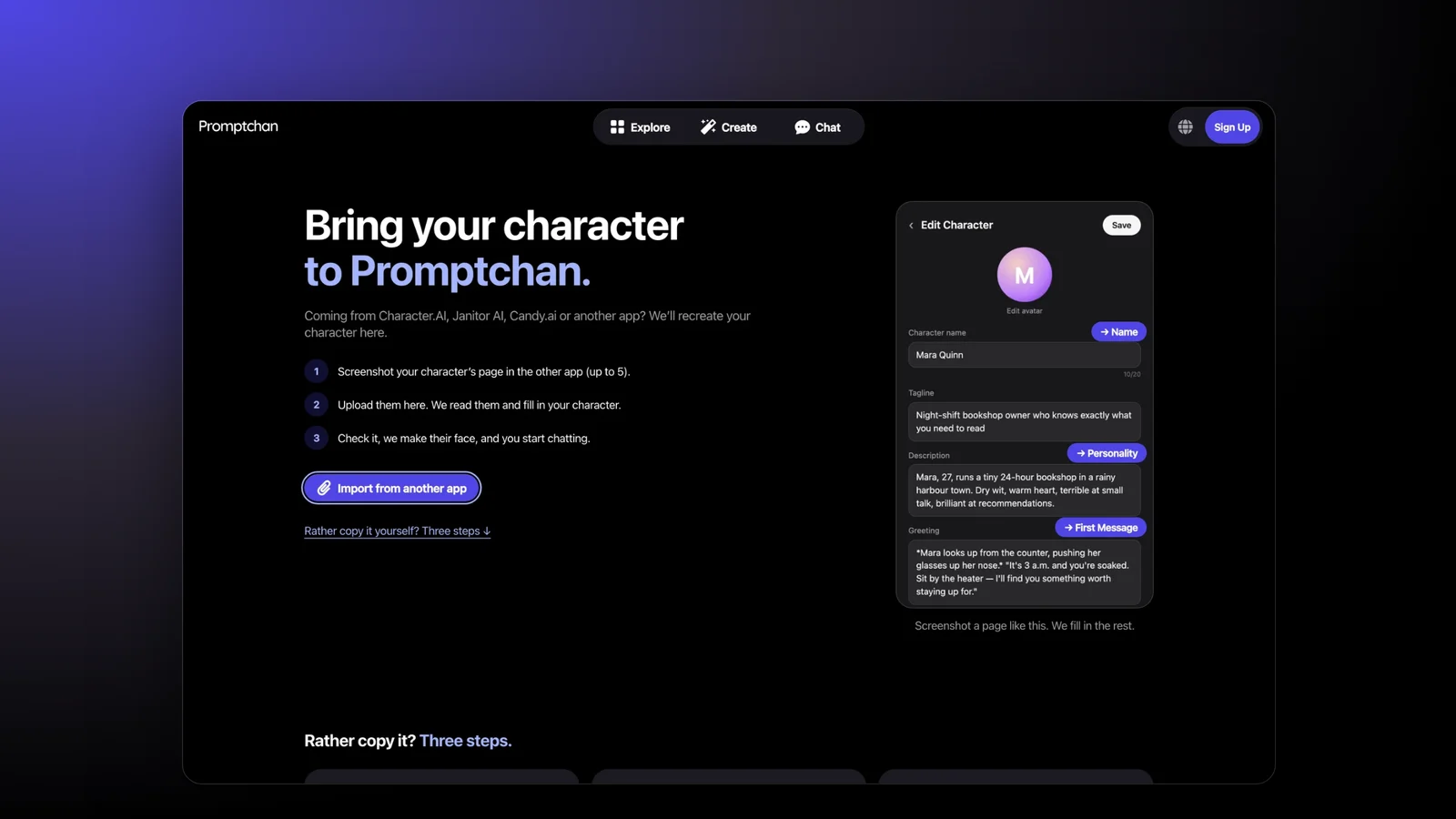
NSFW character AI is adult (18+) roleplay chat with AI characters you write or pick. The character you get is only as good as the few lines you give the model, so this guide shows how to write those lines well, how to set a character up on Promptchan, and how to bring one over from Character.AI.
What NSFW character AI is
It's character roleplay where the conversation is allowed to be adult. You describe a character (who they are, how they talk, what's going on between you) and a language model plays them, reply by reply. "NSFW" means romantic and sexual themes between adults are allowed; it doesn't mean anything goes. Every reputable app forbids minors and illegal content, and most forbid real people's likeness.
Many people are looking because of Character.AI. It filed for Chapter 11 bankruptcy on 12 October 2026 and said in its announcement that the platform would be wound down if no suitable buyer came forward. It had already ended open-ended chat for users under 18 in October 2025. Our Character AI status page tracks the sale.
How to make a character on Promptchan
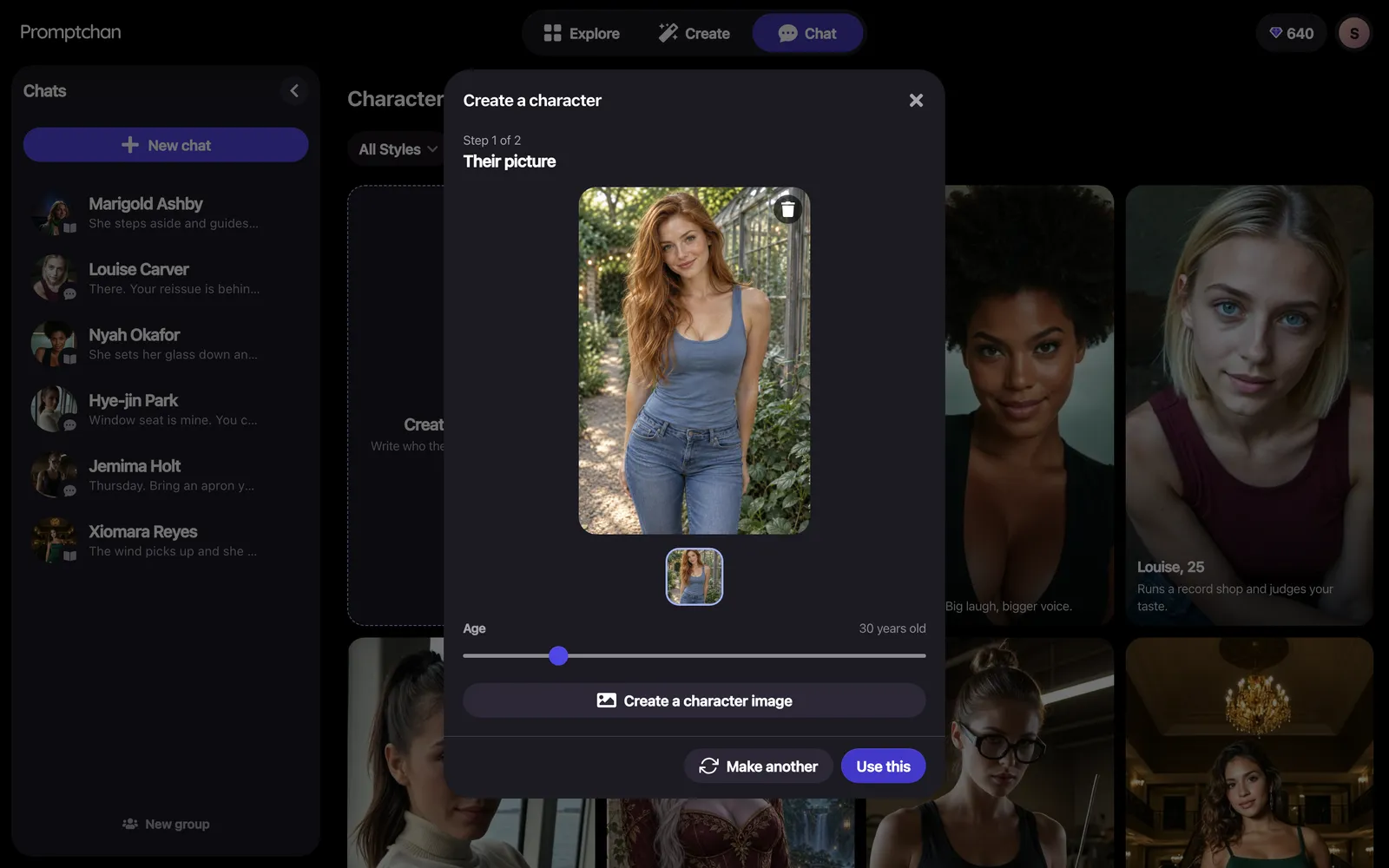
Create a character takes two steps: their picture, then who they are.
- Open Chat, choose New chat, then Create a character. You'll need a free account to save it.
- Their picture. Open Create a character image, describe how they look in a line (up to 300 characters), choose Anime or Realistic, and press Make picture. Make another as often as you like, then Use this. Or Choose from my gallery to use a picture you already made, at no cost.
- Their age, on the slider under the picture: characters are adults, from 18 to 80.
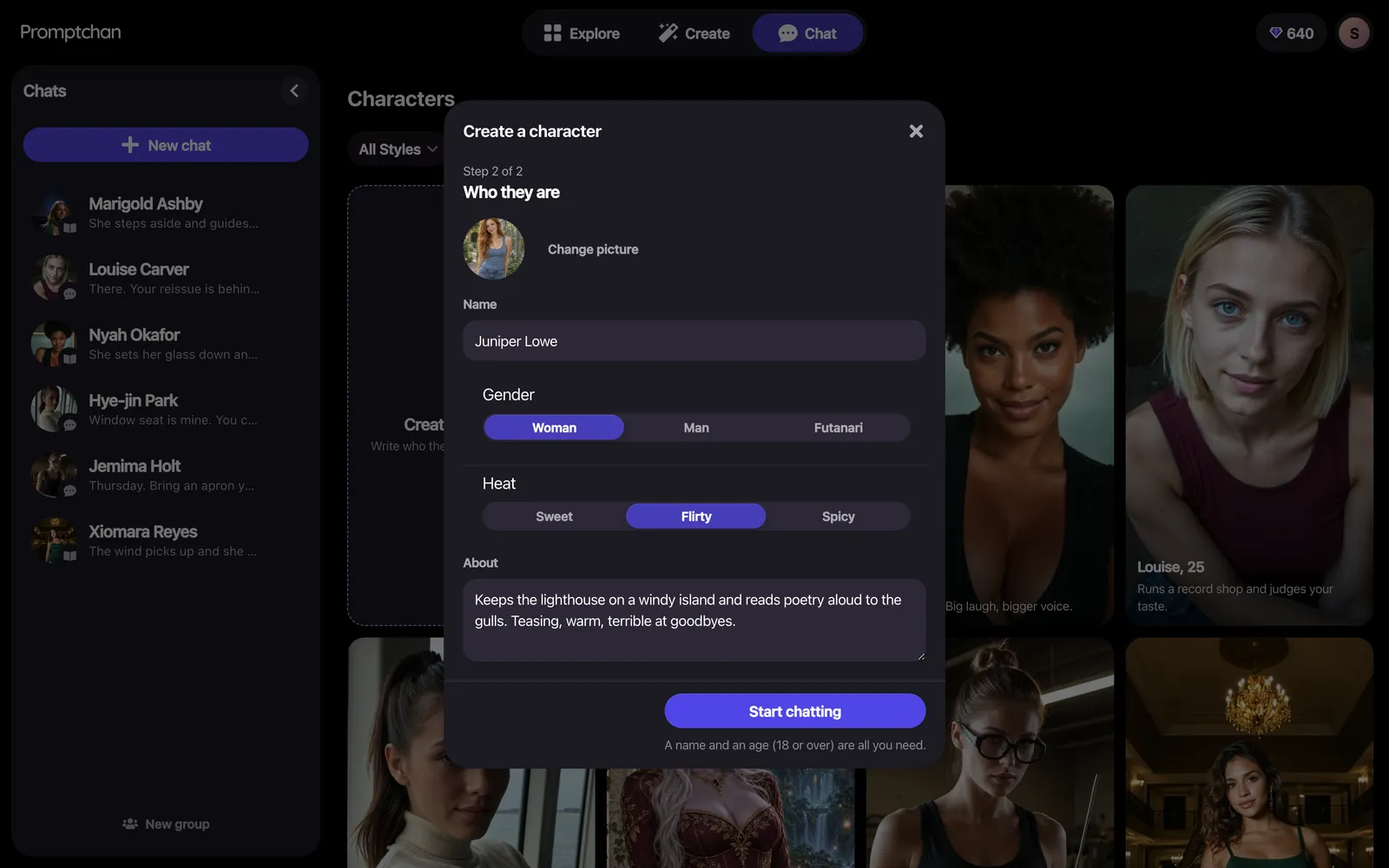
- Who they are. A Name (up to 60 characters), Gender (Woman, Man or Futanari), Heat (Sweet, Flirty or Spicy) and About: how they talk, what they want and how they feel about you, up to 1,000 characters. Only the name and age are required.
- Start chatting. The chat opens empty, and your first message starts the story.
Your first custom character is free; more need Plus or higher. Plus is $11.99 for your first 28 days (20% off), then $14.99 every 28 days. You can also pick a ready-made character from the Characters list that New chat opens, instead of writing one.
How to write a character that stays in character
Every word should change how the character behaves. The model takes About literally, so spend it on behaviour rather than labels.
- About: behaviour, not adjectives. "Teases first, softens when you're honest, hates small talk" gives the model more to work with than "sexy, fun, kind".
- Give them a want. A character who wants something (to win you over, to keep a secret) drives the scene instead of waiting for you.
- Set the Heat to match. Sweet, Flirty or Spicy tells the character how forward to be; you can change it later in Character settings.
- Open with one place and one moment. Your first message sets the scene: "Last train home, snowed in at the station, you've just met" beats a paragraph of backstory.
- Restarting a long story? Start a new chat with the character and sum up what has happened in your first message.
Chat or Roleplay?
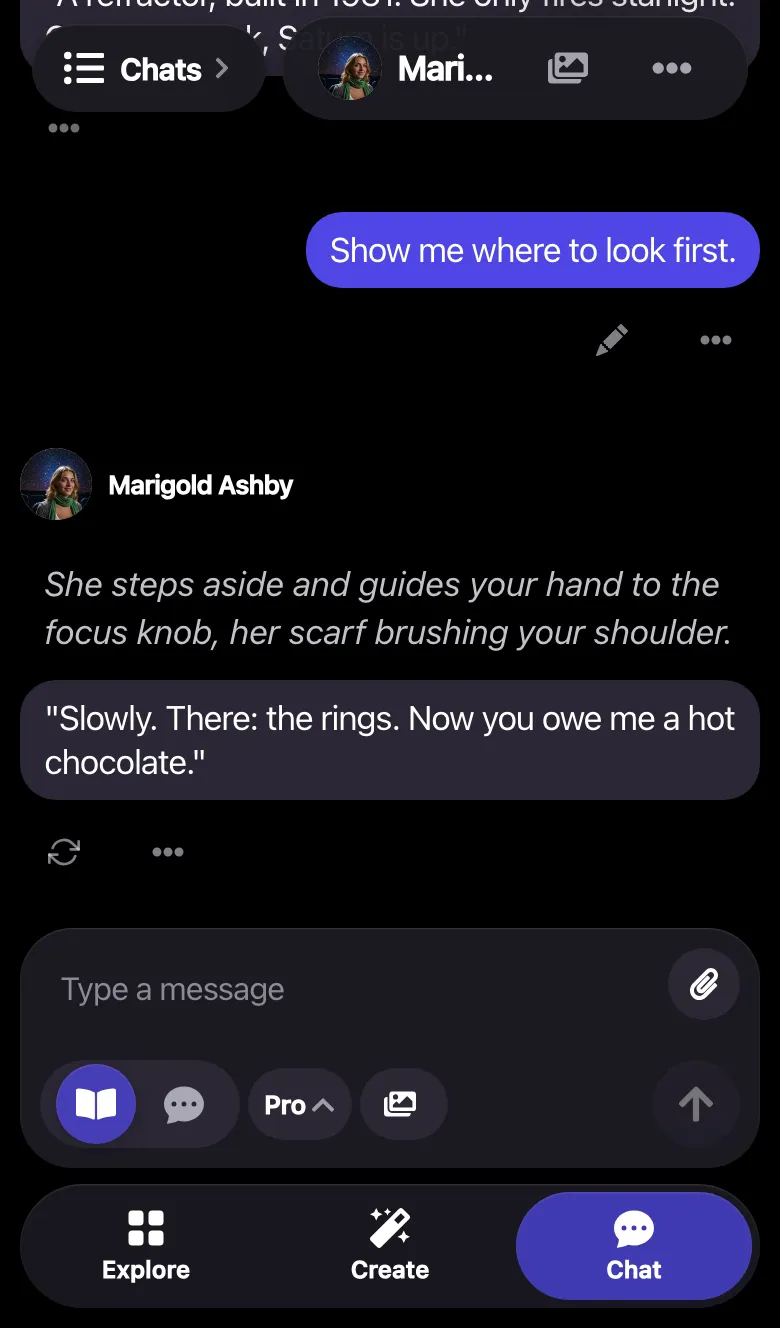
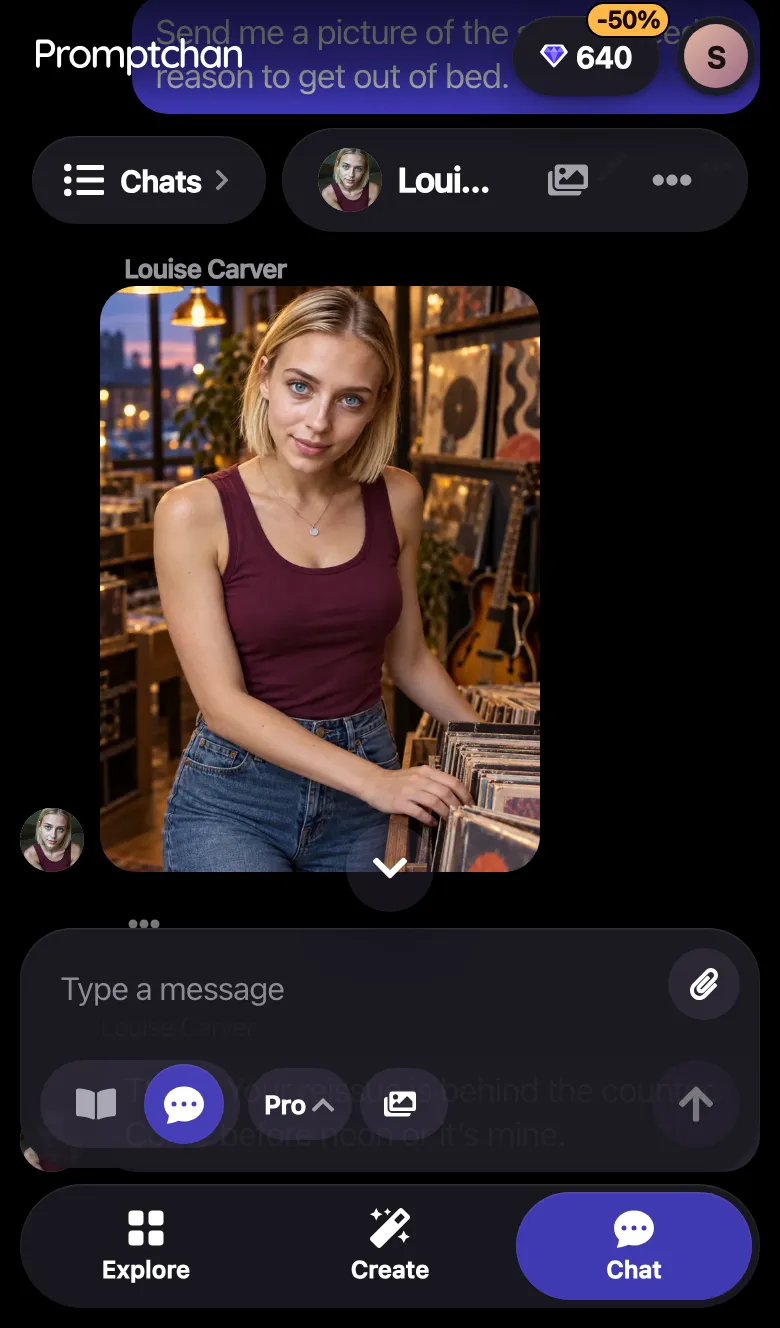
- Chat is texting-style: short messages back and forth, like talking to a partner on your phone.
- Roleplay (story mode) is storytelling: you take the lead, describing your character, the situation and the place, and the AI writes the scene with you.
You switch with the two buttons under the message box, at any point. Switching doesn't clear the conversation: the new mode applies from there, and earlier messages keep the mode they were written in, with a divider where it changed.
What else a character can do
- Voice. Choose a voice and the character's replies can be read aloud. Voice calls are on Pro.
- Pictures and video in chat. Ask for a picture of the moment you're in. Pictures and video in chat are on Pro.
- Chat from an image. Turn a picture you made on Create into a chat: Plus and up.
- How much you can chat. Free chat is an allowance that refills every 3 hours. Plus doubles it, Premium gives 5x, and Pro is unlimited. Premium is $18.99 and Pro $26.99 for the first 28 days (20% off), then $23.99 and $33.99 every 28 days. See the plans.
How to move a character from Character.AI
Save it first, while you still can. Character.AI's announcement said data export from account settings still works; copy each character's name, description, greeting and definition into a note as well. Then, on Promptchan's import page, choose one of three ways:
- Screenshots. Upload up to 5 screenshots of the character's edit screen. Promptchan reads them, fills in the character, and makes a new face from how they're described. Your first screenshot import is free; after that each costs a few Gems, shown before you import.
- Character card. A .png or .json card in the format Chub and SillyTavern use fills in the fields. It's read in your browser and is free.
- By hand. Copy the name into Create a character, and the description into About. Free.
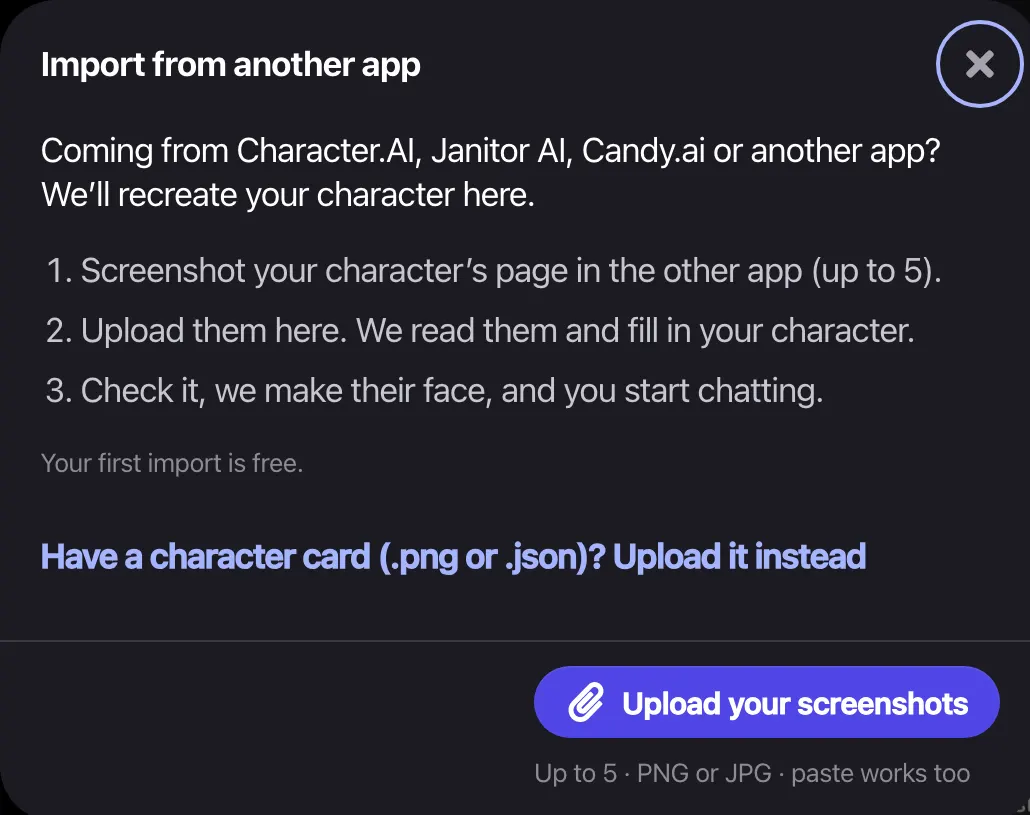
Chat history doesn't come over. If a description is longer than About allows (1,000 characters), keep how they talk, what they want and how they feel about you, and put where the story stands in your first message.
Which characters aren't allowed
Promptchan allows adult (18+) fiction. Its rules forbid minors in any form, real people without their consent, and illegal content (content policy). The import page accepts original adult characters only: real people and characters from shows, games, anime or books can't be recreated. Automatic checks enforce the rules and sometimes refuse something that was allowed; you can appeal.
Other apps for NSFW characters
Candy.ai, OurDream.ai and Muah AI all offer adult character chat, and each is better than Promptchan at something: Candy.ai has the cheapest unlimited chat, OurDream.ai includes voice calls and video on its entry plan, and Muah AI has editable memory and backups. Compare them in the best NSFW AI chat apps, or one at a time: Candy.ai, OurDream.ai and Muah AI. For the full chat walkthrough, see the chat tutorial.
FAQ
What is NSFW character AI?
Adult (18+) roleplay chat with AI characters: you describe a character, a language model plays them, and the conversation can include romantic and sexual themes between adults. Apps such as Promptchan, Candy.ai, OurDream.ai and Muah AI offer it, each with rules against minors and illegal content.
How do I make an NSFW AI character on Promptchan?
Open Chat, choose New chat, then Create a character. Step 1 is their picture: make one from a line about how they look, or choose one from your gallery, and set their age (18 or over). Step 2 is who they are: a name, gender, Heat (Sweet, Flirty or Spicy) and an About. Press Start chatting and send the first message. Your first custom character is free; more need Plus or higher.
Can I move my characters from Character.AI?
Yes, by recreating them. Promptchan's import page reads up to 5 screenshots of a character's edit screen and fills in a new character, or you can copy the name and description into Create a character by hand. Your old chat history does not come over; sum up the story so far in your first message instead.
What is the difference between Chat and Roleplay?
Chat is texting-style conversation with your character. Roleplay (story mode) is storytelling where you direct the scene: you describe your character, the situation and the place, and the AI plays along. You can switch at any point; earlier messages keep the mode they were written in.
Which characters are not allowed?
Anyone under 18, in any form, real people without their consent, and anything illegal. Promptchan's import page also accepts only original adult characters: real people and characters from shows, games, anime or books can't be recreated.
Is Character.AI shutting down?
Character.AI filed for Chapter 11 bankruptcy on 12 October 2026 and said that if no suitable buyer came forward, the platform would be wound down. It was still running when its sale began. Promptchan keeps a status page at /character-ai-down with the latest we know.
Sources, checked 19 November 2026
Related articles
About Promptchan: What It Is, Prices and Key Facts
Promptchan is an 18+ AI image, video and character chat site. Free plan; Plus $11.99, Premium $18.99, Pro $26.99 for the first 28 days, then $14.99, $23.99, $33.99.
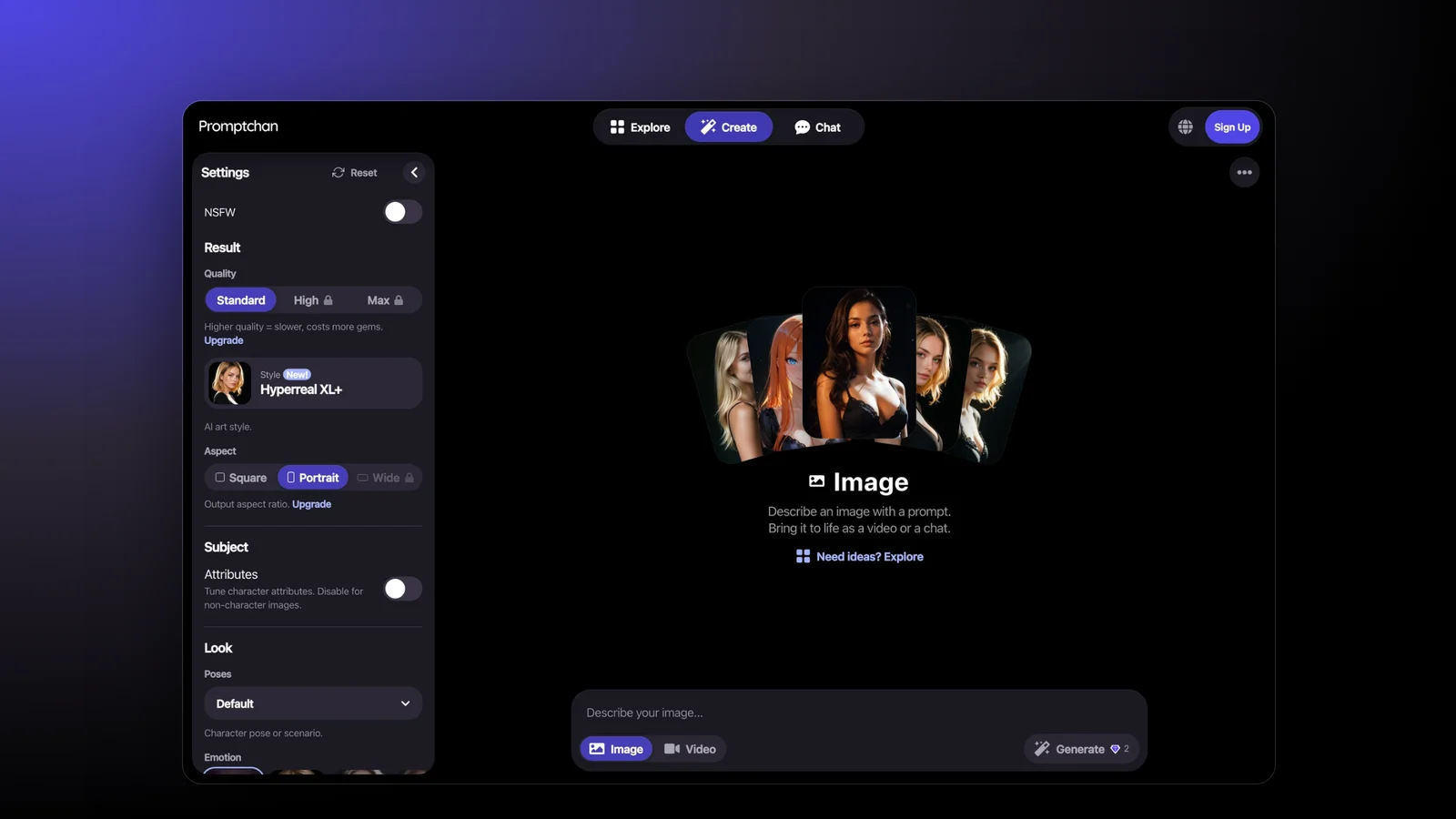
How to Use Promptchan: A Step-by-Step Beginner Guide
To use Promptchan, sign up free, open Create, describe your picture and press Generate. Here is each step, every setting, and how Gems and plans work.
How to Make AI Videos on Promptchan: Text to Video, Animate and Extend
Make an AI video on Promptchan by switching Create to Video or pressing Animate on a picture. Steps, v4 vs v4-voice, Extend and Gem prices (Pro plan).