Uncensored NSFW AI Generator: What It Allows and How Promptchan Works
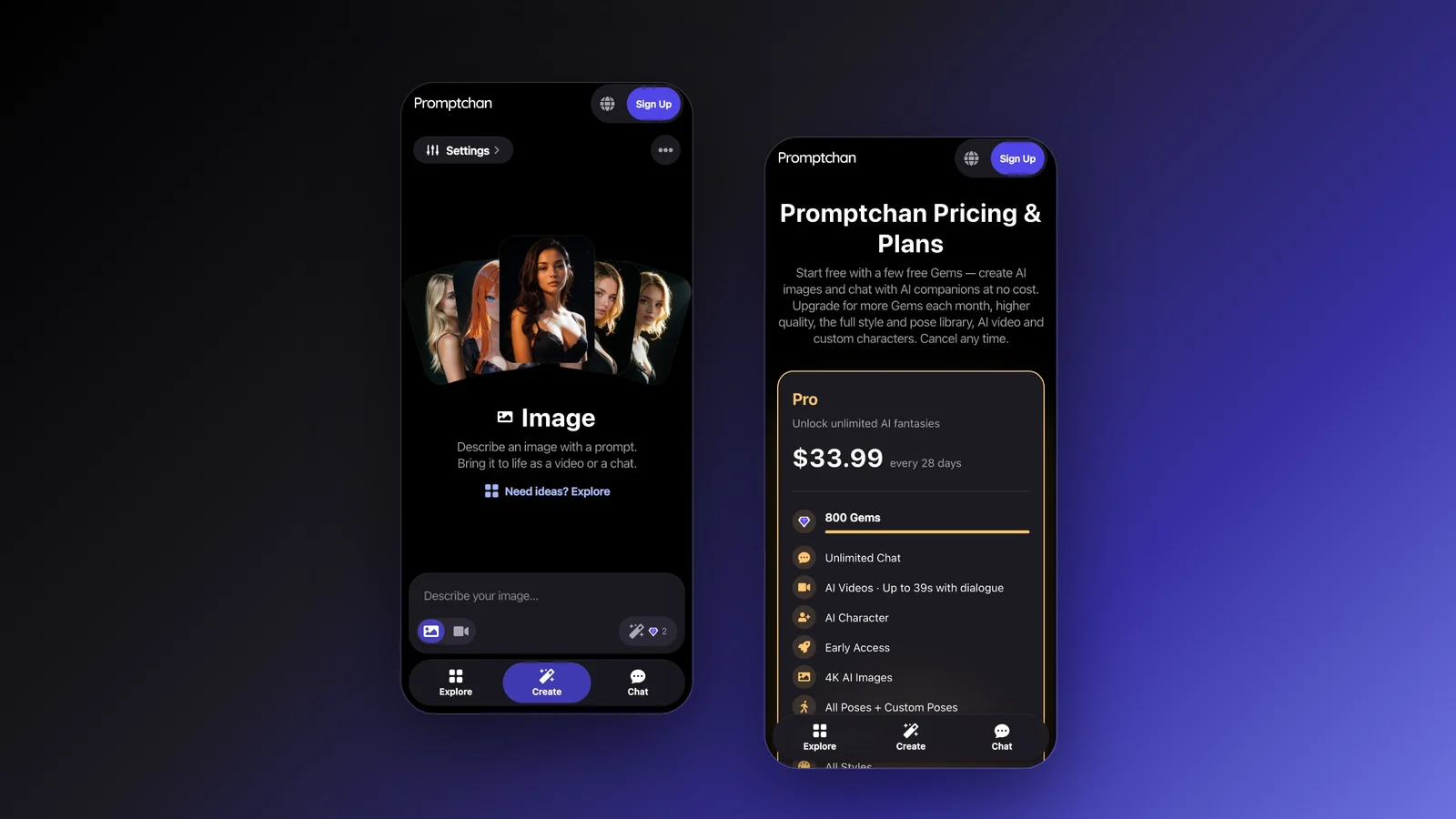
An "uncensored" AI generator is one that allows adult (18+) content between fictional adults, which mainstream image tools refuse. It never means anything goes. This guide explains where the honest lines are, then shows how to make NSFW images and video on Promptchan's Create page, step by step.
What "uncensored" honestly means
Mainstream image generators refuse nudity and sex. Adult generators allow it, which is what people mean by "uncensored" or "unfiltered". But every one of them still has rules, because some content is illegal or harms real people. On Promptchan:
| Allowed (18+) | Never allowed |
|---|---|
| Nudity and sex between fictional adults | Minors, in any form, including characters that look young |
| Photorealistic and anime styles | Real people without their consent, including celebrities |
| Fantasy, kink and roleplay scenarios between adults | Illegal content |
The full rules are in the content policy and Terms of Service. Automatic checks enforce them. They're strict on purpose, so they sometimes refuse a prompt that was fine; you can rephrase or appeal.
Other adult generators draw similar lines. Candy.ai's Community Guidelines and PornWorks AI's Acceptable Use Policy forbid content involving minors and real people's likeness. A site that promises "no rules at all" is either not telling the truth or not a site you want your account on.
How to make an NSFW image on Create
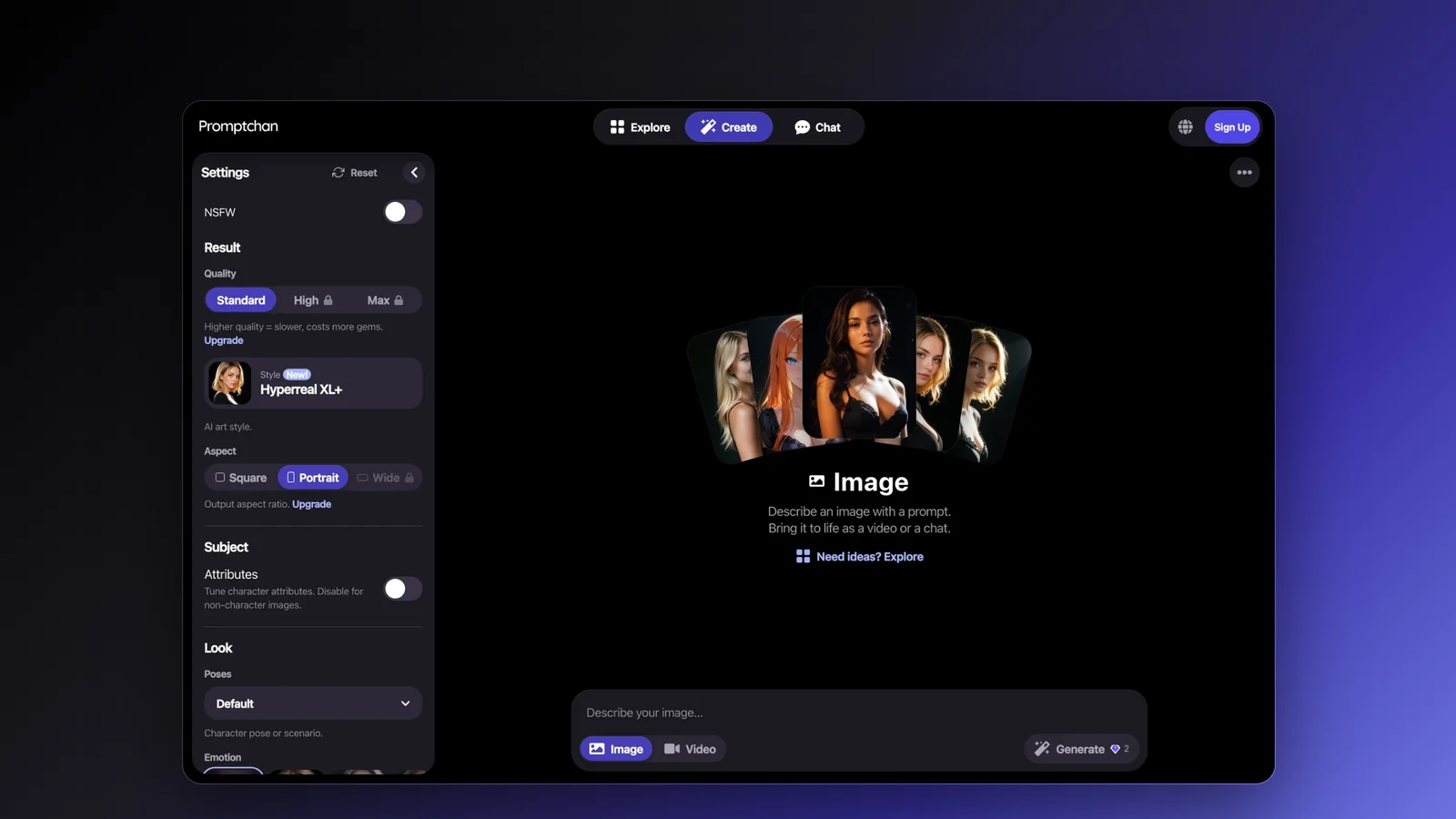
- Open Create and choose Image or Video under the prompt box.
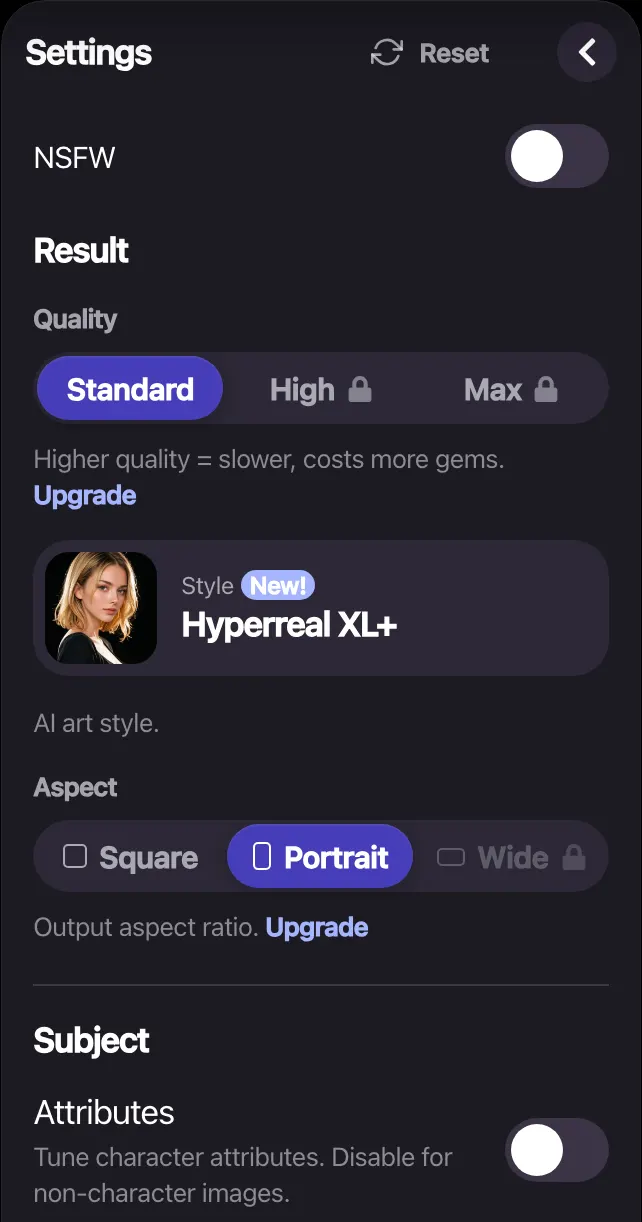
- Turn on the NSFW switch at the top of Settings for adult content.
- Write a prompt describing the picture: who, what they're wearing or not, the pose, the place, the light.
- Pick a Style: a photorealistic one such as Hyperreal XL+, or an anime style.
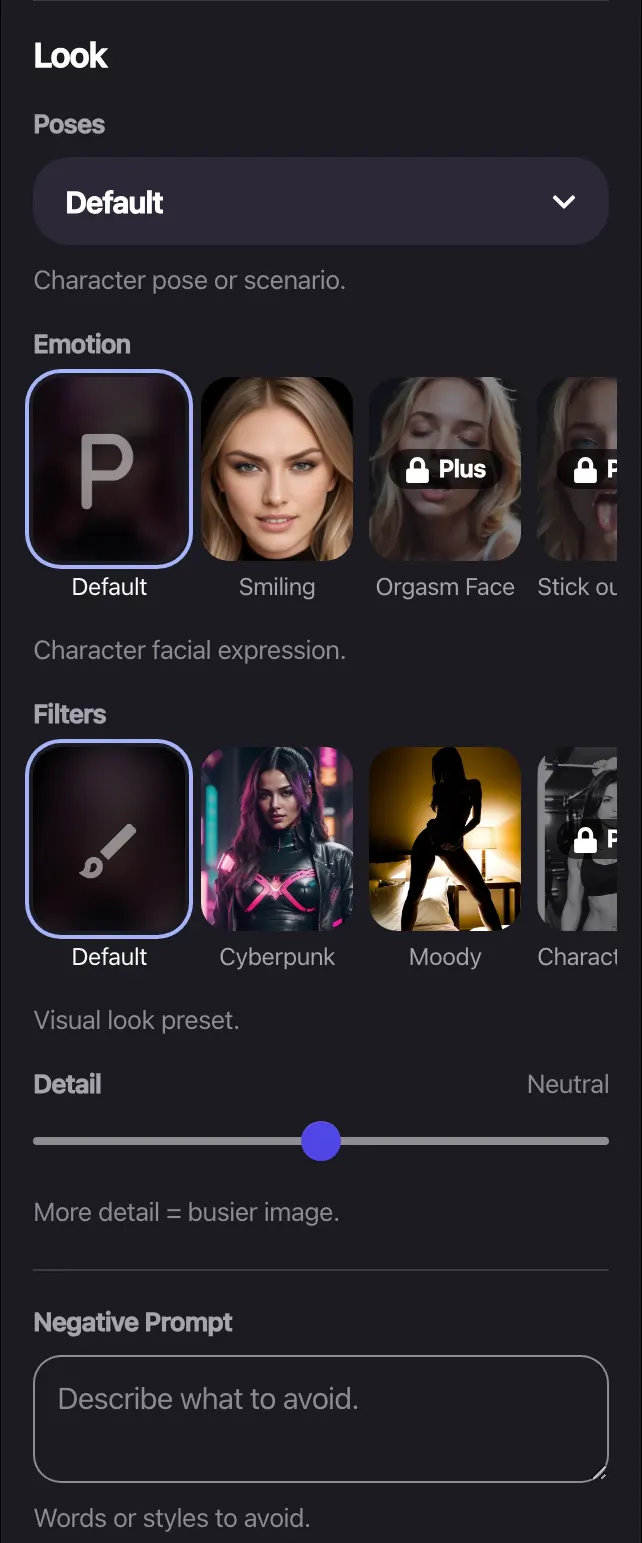
- Set the details you care about: Poses, Emotion (facial expression), Filters (a visual look) and Attributes.
- Add a Negative prompt for what to keep out, such as extra fingers or blur.
- Press Generate. Each image spends Gems, shown on the button; higher Quality costs more.
What each setting does
| Setting | What it does | Plan |
|---|---|---|
| Quality | Standard, High or Max detail; higher costs more Gems | High on Plus and up, Max on Pro |
| Style | The model's look: photoreal or anime | More Styles on higher plans; all on Pro |
| Filters, Emotion | A visual look preset; the facial expression | Free and up |
| Poses | Sets the body position instead of describing it | Basic on Plus, more on Premium, all and custom on Pro |
| Attributes | Pick features from lists rather than typing them | Not a plan feature on /upgrade |
| Negative prompt | What to keep out of the picture | Free and up |
| Aspect | Portrait, Square or Wide | Wide on Premium and up |
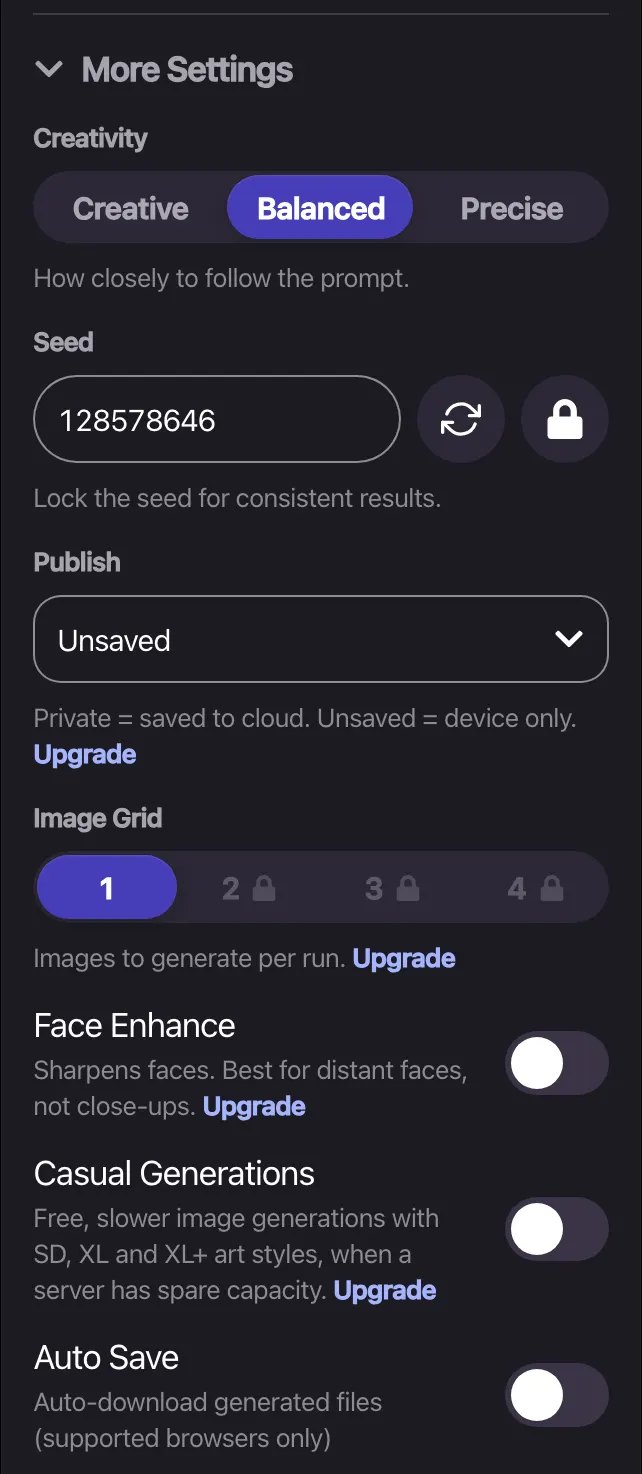
| Image grid | Pictures per run: 1 to 4 | 1 Free, 2 Plus, 3 Premium, 4 Pro |
| Face enhance | Sharpens faces, best for distant ones | Plus and up |
| Seed | Lock it to repeat a result, or change it to vary one | Not a plan feature on /upgrade |
After generating, Tweak edits a picture you made, Animate turns it into a short clip and Extend makes the clip longer (video is on Pro). Pro also makes 4K images. For prompt tips, read the prompting guide; for video, the video tutorial.
Start from someone else's picture with Clone
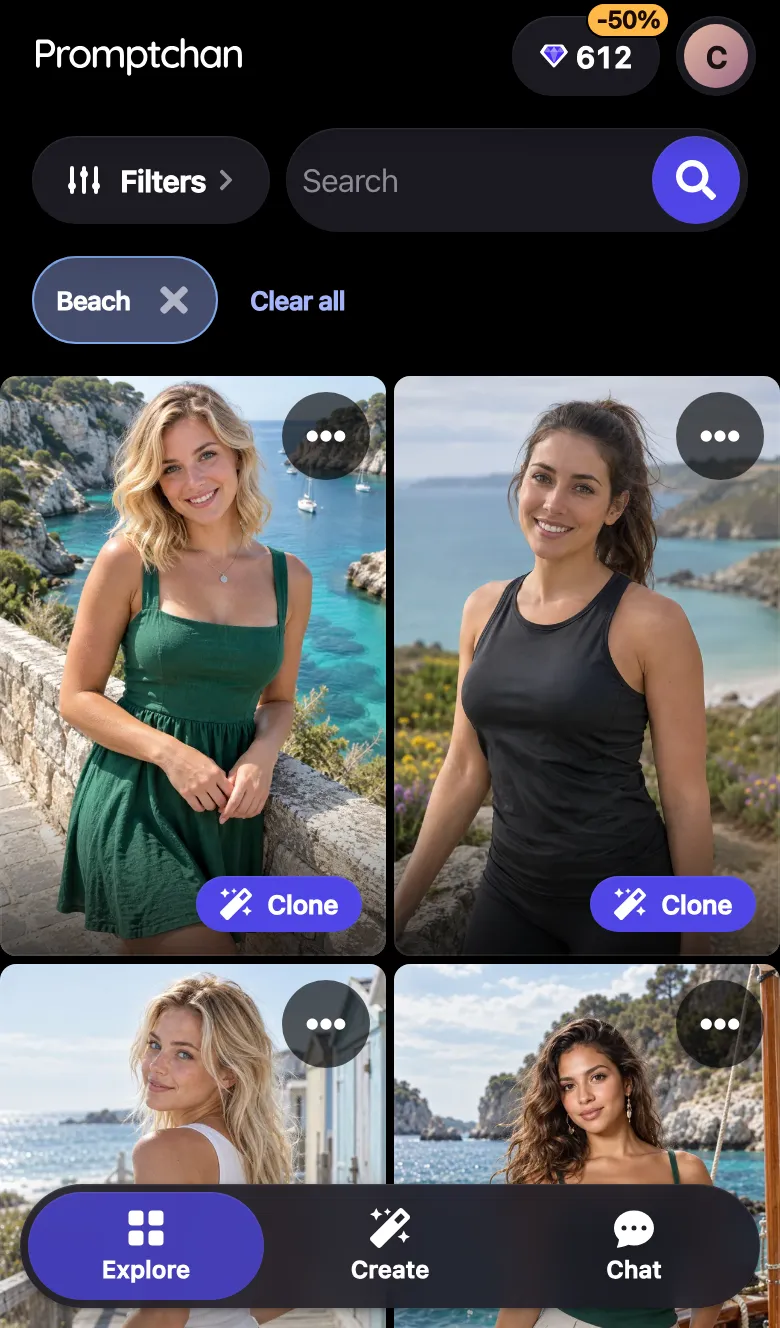
Explore is a public gallery of creations. Open one and Clone it to load its prompt and settings into Create with one click, then change what you want. It's the quickest way to learn what a Style or Pose does.
What it costs
| Plan | Price | Gems | For creating |
|---|---|---|---|
| Free | $0 | A few starter Gems | Images, Explore and Clone |
| Plus | $11.99 first 28 days, then $14.99 / 28 days | 100 | HD images, Basic Poses and Styles |
| Premium | $18.99 first 28 days, then $23.99 / 28 days | 400 | More Poses and Styles |
| Pro | $26.99 first 28 days, then $33.99 / 28 days | 800 | Video with Extend, 4K, all Poses and Styles, unlimited Casual generations |
Billed yearly, the plans are $119.88, $191.88 and $263.88. Paid plans get 50% off extra Gems, and you can cancel any time from account settings; the plan runs to the end of the paid period. Cards and crypto are accepted. Full details are on the plans page.
Where Promptchan is weaker: video, 4K and voice calls need Pro; the Free plan gets few Gems; and the checks that enforce the rules sometimes refuse an allowed prompt. If you mainly want cheap video, PornWorks AI and OurDream.ai offer it on lower plans: see Promptchan vs PornWorks AI and Promptchan vs OurDream.ai.
Is it private?
Promptchan runs in your web browser, on desktop or phone, with no app to install. Pick an email address you're comfortable with, as you would on any adult site.
FAQ
What does an uncensored AI generator mean?
It means the generator allows adult (18+) content such as nudity and sex between fictional adults, which mainstream image tools refuse. It does not mean anything goes: reputable adult generators still forbid minors in any form, real people without consent, and illegal content.
Is Promptchan uncensored?
Promptchan allows adult fiction for users 18 and over, with an NSFW switch and Safe Mode. Its rules forbid minors in any form, real people without consent, and illegal content, and automatic checks enforce them. Those checks sometimes refuse a prompt that was allowed; you can appeal.
Can I use Promptchan for free?
Yes. The Free plan costs $0 and needs no card. It includes a few starter Gems, image creation on Create, AI chat with free messages every few hours, the Explore gallery with Clone, and one-time bonus tasks that earn more Gems.
Can Promptchan make NSFW video?
Yes, on the Pro plan: $26.99 for your first 28 days (20% off), then $33.99 every 28 days. Animate turns a picture into a clip and Extend makes it longer. Images are available on every plan, with 4K on Pro.
Why was my prompt refused?
Automatic checks look for content the rules forbid, such as anything suggesting a minor or a real person. They sometimes refuse a prompt that was allowed, for example because of an ambiguous word. Rephrase to make adult ages and fictional characters clear, or appeal the decision.
Can I make AI images of a real person or celebrity?
No. Promptchan's rules forbid real people without their consent, and the other adult generators we compared (Candy.ai, OurDream.ai and PornWorks AI) forbid real people's likeness too.
Sources, checked 19 November 2026
Related articles
Best AI Porn Generators (2026): 6 Tools Compared, With Prices
Six AI porn generators compared on price, free tier, images, video and chat: Promptchan, Candy.ai, OurDream.ai, SoulGen, PornWorks AI and Muah AI.
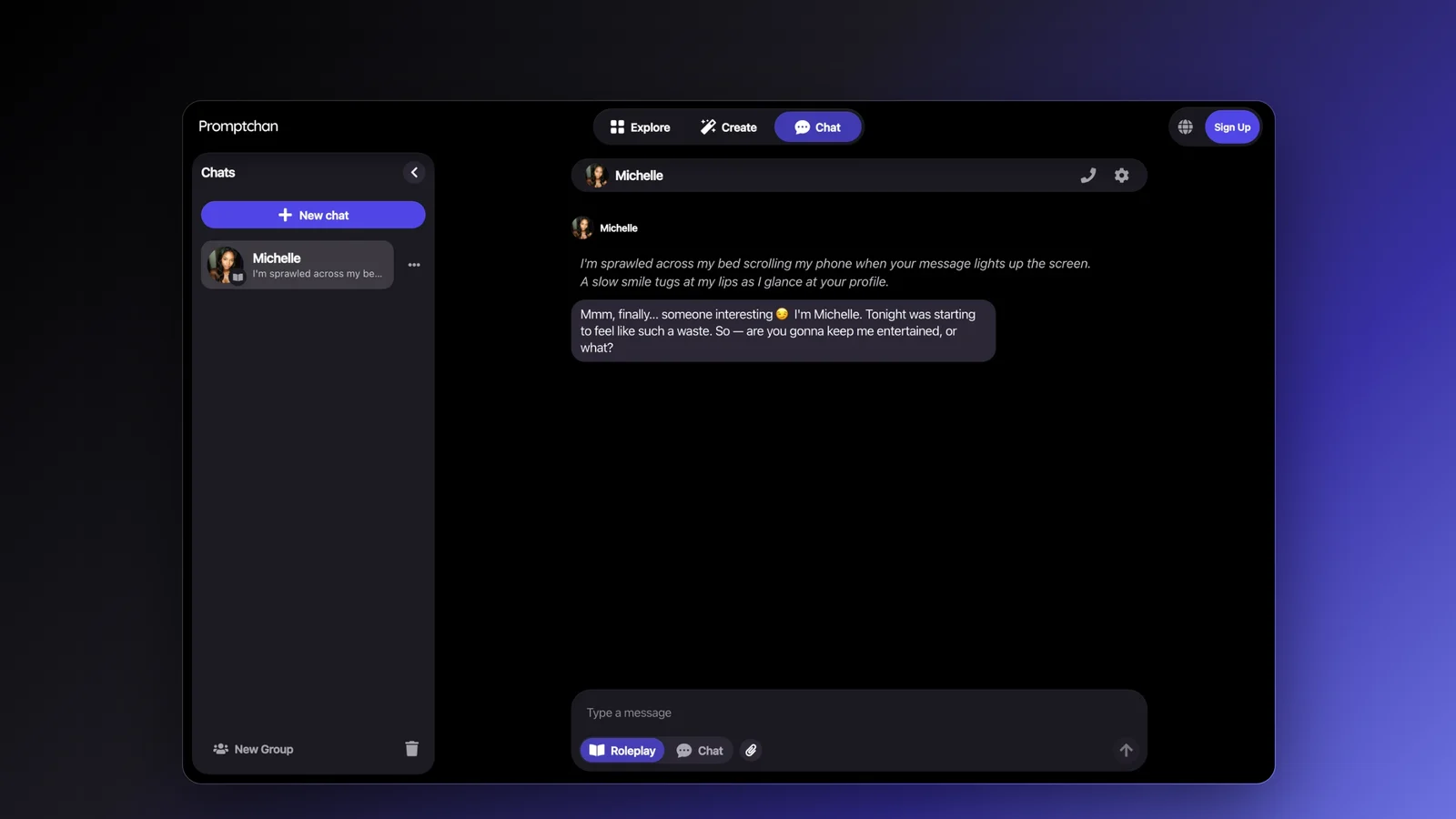
Best NSFW AI Chat Apps (2026): Candy.ai, OurDream, Muah AI and Promptchan Compared
Candy.ai, OurDream.ai, Muah AI and Promptchan compared for NSFW AI chat: what unlimited chat costs, free messages, voice calls, pictures and memory.
Promptchan Reviews and Ratings (2026): Trustpilot Score, Praise and Complaints
Promptchan is rated 4.4 out of 5 from 198 Trustpilot reviews (19 Nov 2026). What reviewers praise, what they criticise, and which claims are out of date.