Getting Started with Promptchan API
Promptchan Team
August 8, 2023
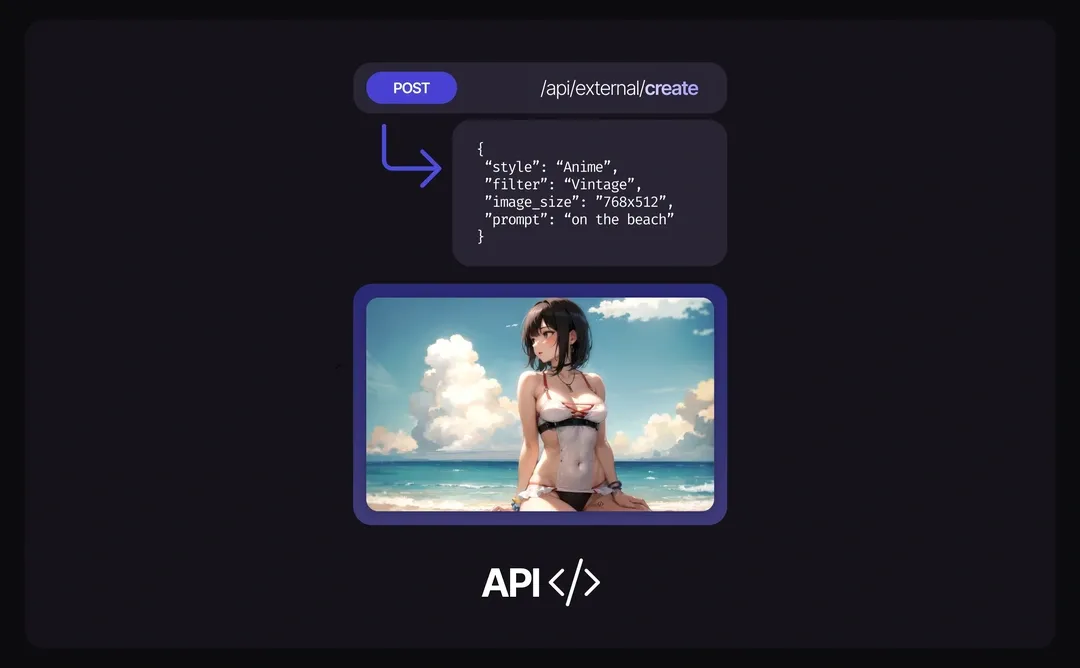
Dive into the world of limitless creativity with the Promptchan API! Imagine the possibilities: from integrating dynamic, AI-generated imagery into an interactive chat application, to creating unique art for your digital platform.
The Promptchan API is your key to unlocking a new realm of innovation and engagement in your projects. Let's get you started on this journey of exploration and creation with our easy-to-follow guide.
Step 1: Sign Up or Sign In
- First Time Here? Sign Up to create a new account. It's quick and easy!
- Returning User? Just log in.
Step 2: Generate Your API Key
Once you're logged in, head over to your Settings. Find the API Key section and click on "Generate" to get your unique API key. This key is essential for making API requests, so keep it safe and do not share it with others.
Step 3: Top Up Your Account with Gems
The Promptchan API uses Gems as a currency for generating images. To purchase Gems, visit Buy Gems. Choose the package that suits your needs, and the Gems will be added to your account immediately after purchase.
Step 4: Making API Requests
Base URL: The base URL for all API requests is https://prod.aicloudnetservices.com/.
Authentication: Include your API key in the request header as x-api-key to authenticate your API requests.
Image Generation
To generate an image, send a POST request to /api/external/create with the necessary parameters, such as style, poses, prompt, and image_size. Each image generation costs 1 Gem by default, with additional costs for higher quality settings or additional features like face restoration.
Request:
{
  "style": "Real",
  "poses": "Default",
  "filter": "Cyberpunk",
  "detail": 0,
  "prompt": "A portrait of a beautiful woman",
  "seed": 0,
  "quality": "Ultra",
  "creativity": 50,
  "image_size": "512x768",
  "negative_prompt": "Rain",
  "restore_faces": false
}
Response:
{
  "gems": "100",
  "image": "base64EncodedImageResponse"
}

AI Chat
To drive a conversation, send a POST request to /api/external/chat. You pass the user's
message, a characterData object describing who the AI is playing, and the running
chatHistory so the reply stays in context. Set isRoleplay to switch between chat and
story-style replies, userName to have the character address the user by name, and redo
to regenerate the last reply.
Request:
{
  "message": "Hey, what are you up to tonight?",
  "userName": "Alex",
  "isRoleplay": false,
  "characterData": {
    "name": "Michelle",
    "personality": "Playful, warm, a little sarcastic",
    "scenario": "Texting late at night from her apartment"
  },
  "chatHistory": []
}
The response returns the reply, the updated chatHistory to send back on the next turn, and
an audio field that carries speech when a voice is in play.
Video Generation
Video is asynchronous — you submit a job, poll it, then collect the result.
POST /api/external/video_v4/submitqueues the generation and returns arequest_id.GET /api/external/video_v4/status_with_logs/{request_id}reports progress, with logs.GET /api/external/video_v4/result/{request_id}returns the finished video once it is ready.
Poll the status endpoint rather than blocking on the request; generation time varies with length and quality.
Conclusion
That's the whole surface: images, chat and video, all behind a single API key. The interactive reference below lists every parameter for each endpoint, including the ones this guide skipped over.
Tags: #PromptchanAPI #AIImageGeneration #APIGuide
Meta Description: Learn how to get started with the Promptchan API for image generation, AI chat and video.
Related articles
How to Make AI Videos on Promptchan
Learn how to make AI videos on Promptchan. Animate any image into motion, create a video straight from a text prompt, extend your favorites, and bring your AI girlfriend to life — a friendly beginner tutorial.
How to Chat with AI on Promptchan
Learn how to chat with AI companions on Promptchan. Browse the Discover feed, start a conversation, pick her voice, create images mid-chat, and build your own custom AI girlfriend — a friendly beginner guide.
How to Buy Crypto for Promptchan AI
A concise guide on buying cryptocurrency to upgrade or purchase Gems on Promptchan AI.
Services